Breadcrumb
Step 1 - Go to WordPress Dashboard > Appearance > Breadcrumbs > Add New.
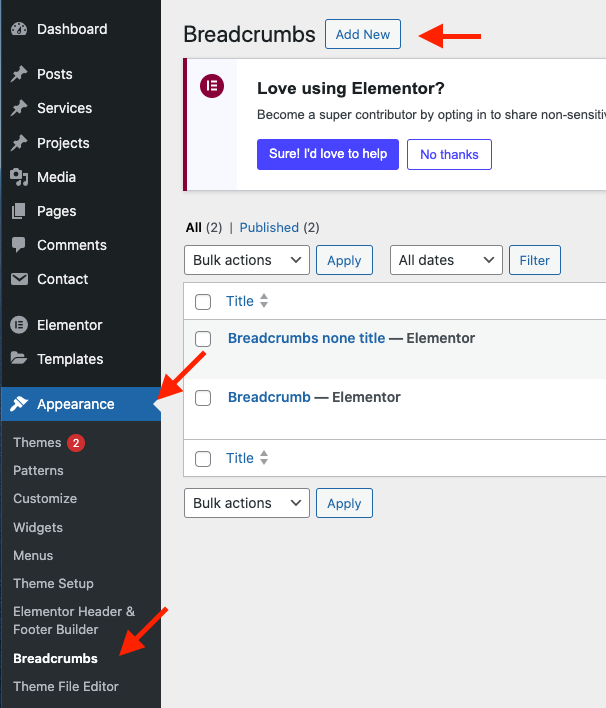
Step 2 - Click ‘Add New’, name your breadcrumb template and then click ‘Publish’.
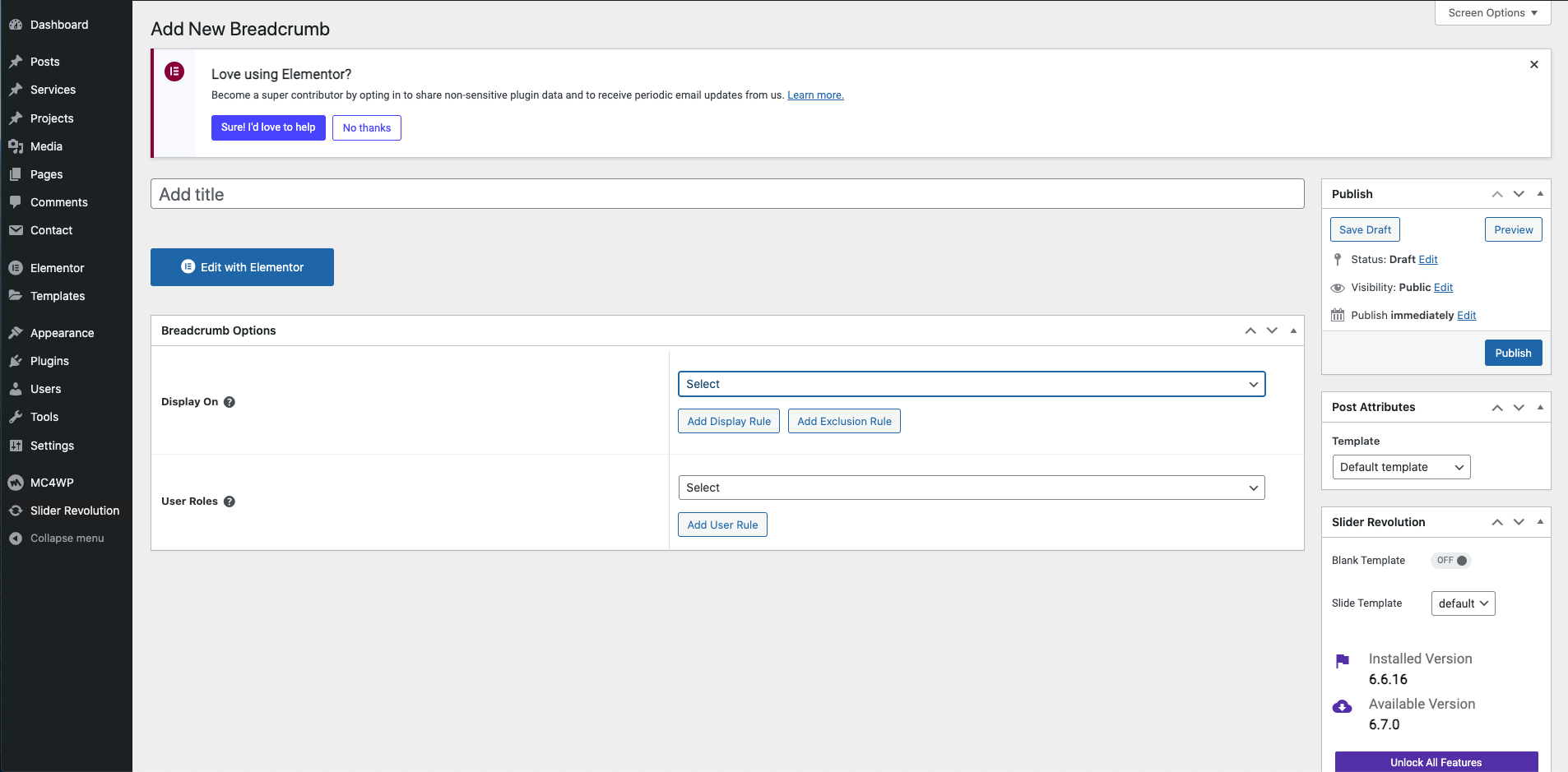
Step 3 - Select Atamisa Breadcrumb.

Breadcrumb config

Step 4 - Breadcrumb Settings
Set up your breadcrumb background to entire page you need to click on 'Post Settings' > 'Breadcrumb Settings'

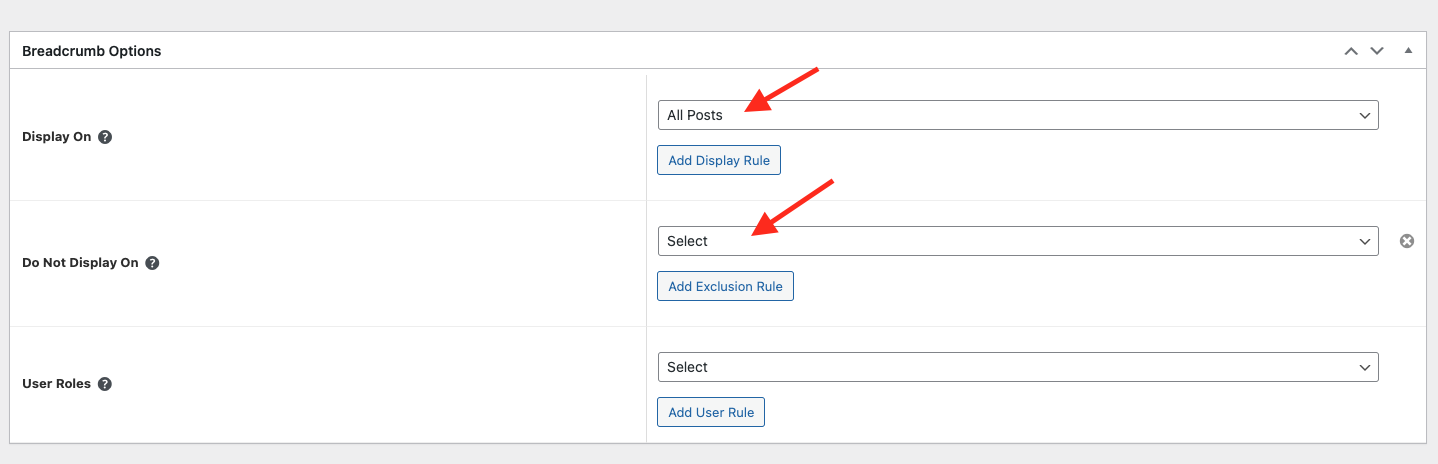
Step 5 - Breadcrumb Options
Choose tab Breadcrumb and you can add the template that has been created to the page.
Edit the display of your Breadcrumb Template that can add the created template to the page.
Step 6 - Save & Close
After all, click "Update" for settings.
Last updated